




RoboForex: Account Depositing
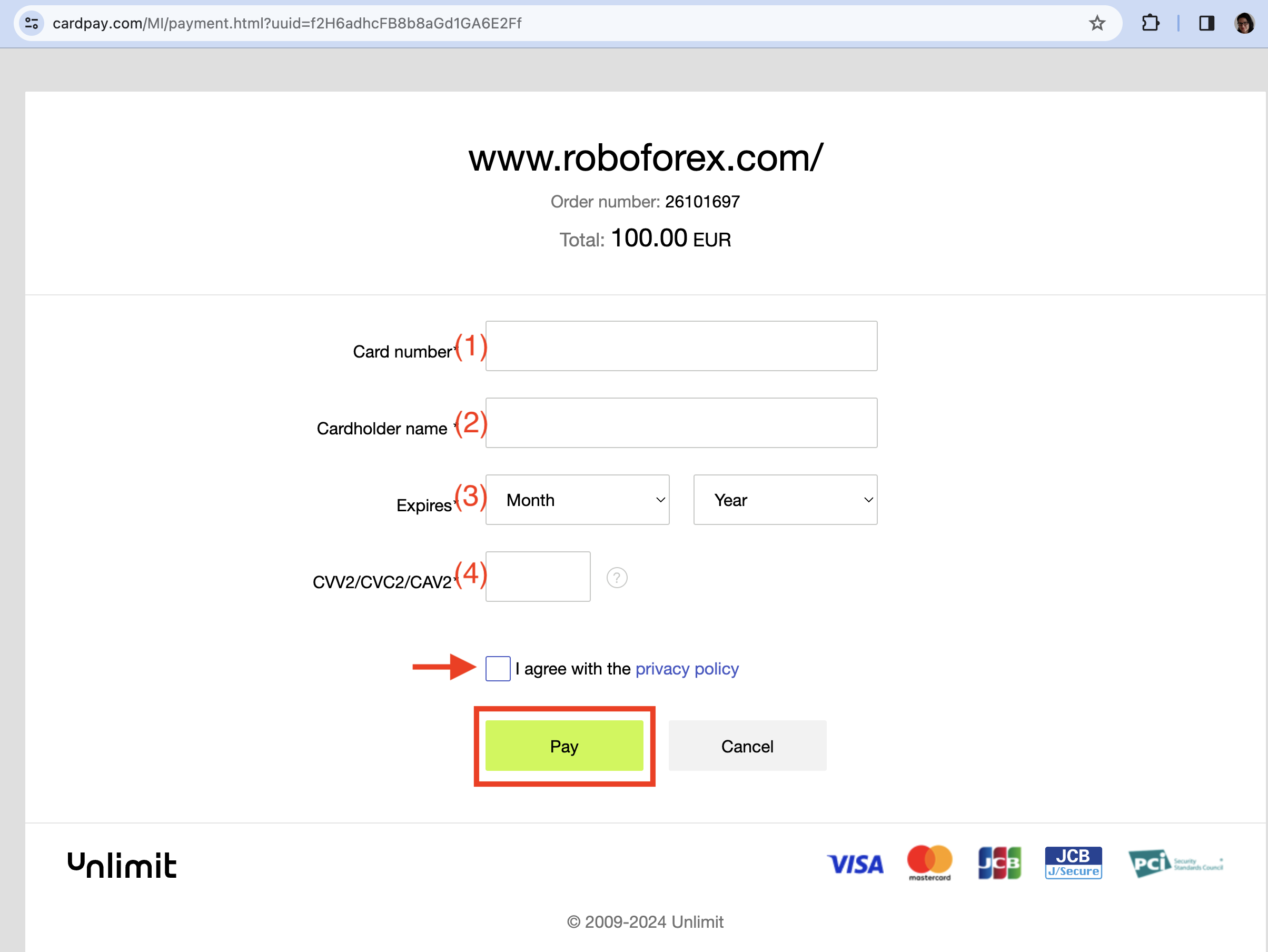
- Go to the "Accounts" tab.
- Under "Trading accounts" click the green "Deposit" button of your MT5 ProCent account.
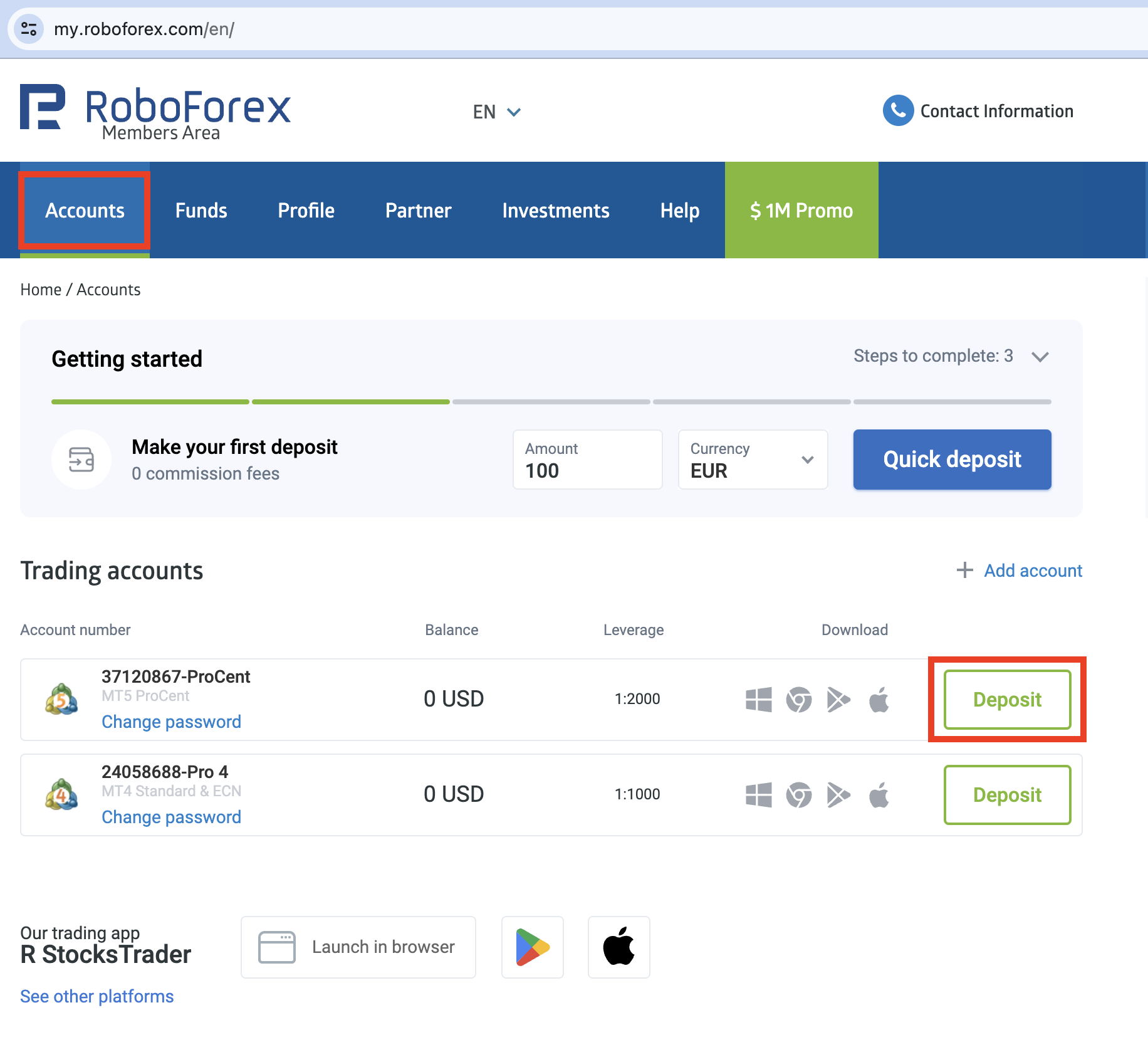
- Choose the payment method you would like to use to deposit money to your trading account, e.g. Visa/MasterCard.
- Specify the amount you would like to deposit and choose the currency.
- Click the blue "Deposit funds" button.
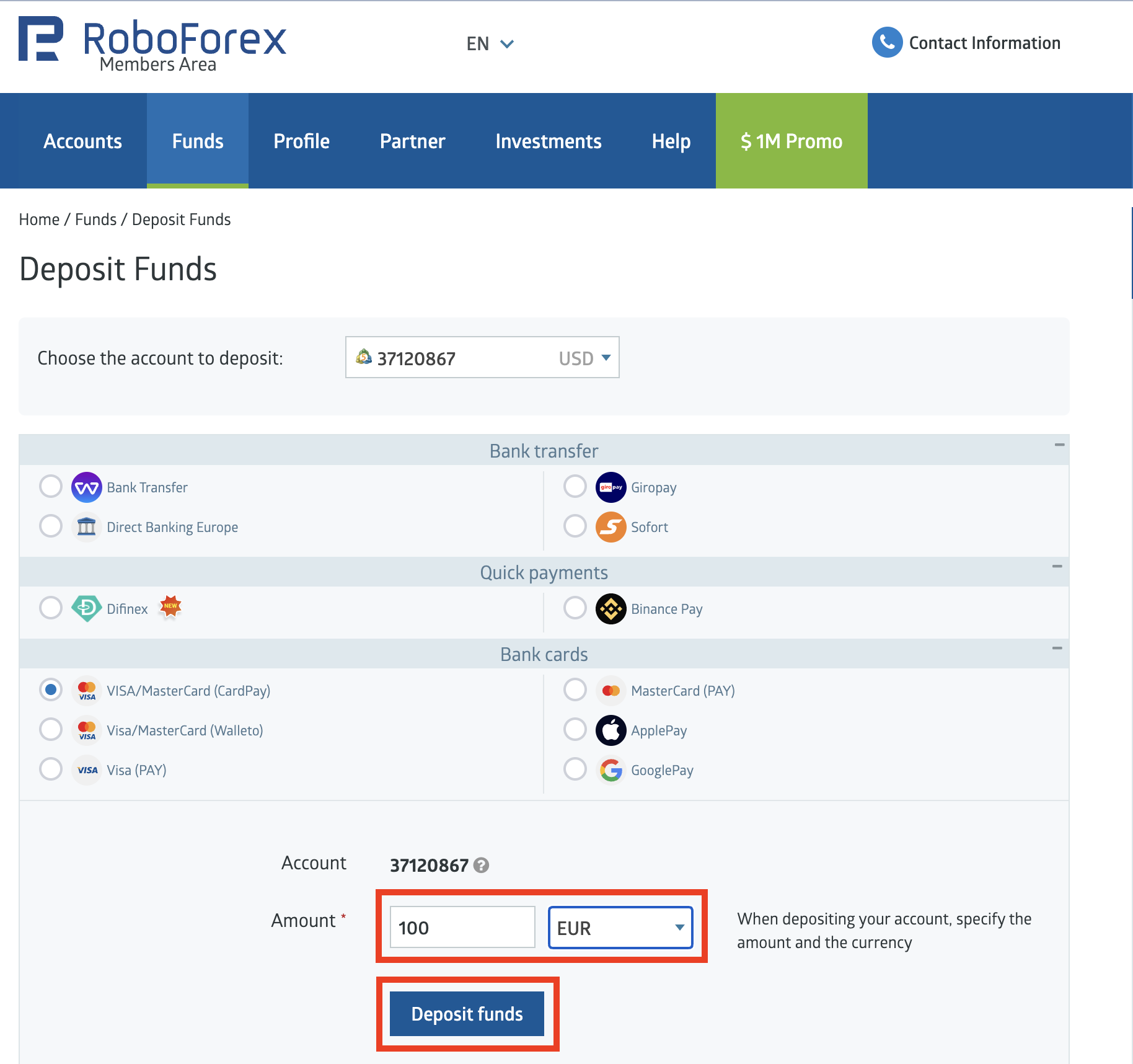
- The next screen will contain the information regarding your deposit, e.g.
- how much time it will take to complete the request,
- how much money will be transferred to your account after conversion (in case the currency of your card differs from the currency of your trading account), etc.
- You can deposit your trading account only by yourself (no third parties!). Otherwise the funds will be returned to where they came from.
- Click the blue "Deposit funds" button.
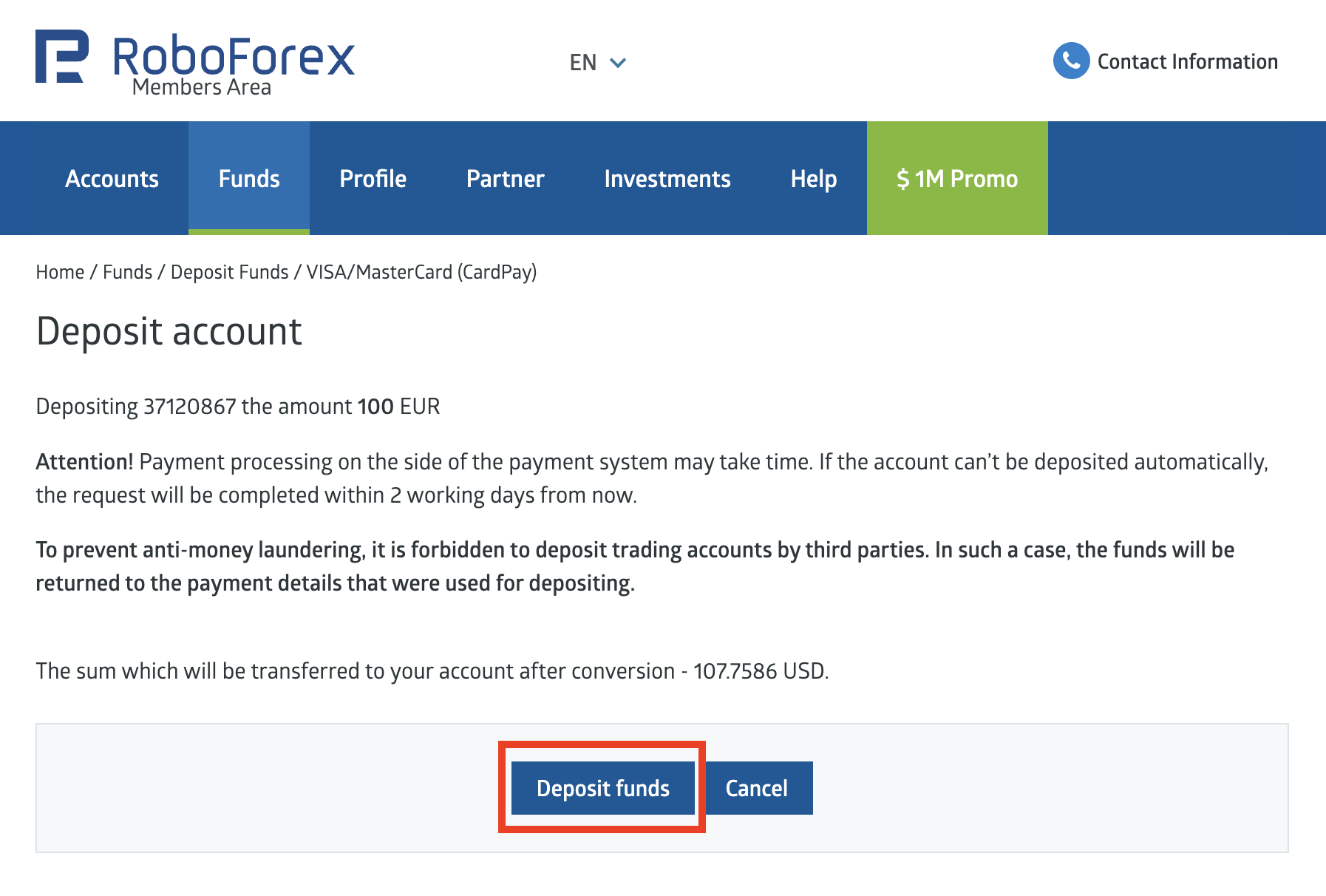
- Depending on the payment method you've chosen, follow the instructions on the screen and fill out the form with your payment details.
- For example, for the card payment you need to specify your (1)card number, (2)cardholder name, (3)card expiration date and (4)protection code, agree to the privacy policy terms and press "Pay" button.