



Remote Desktop Registration
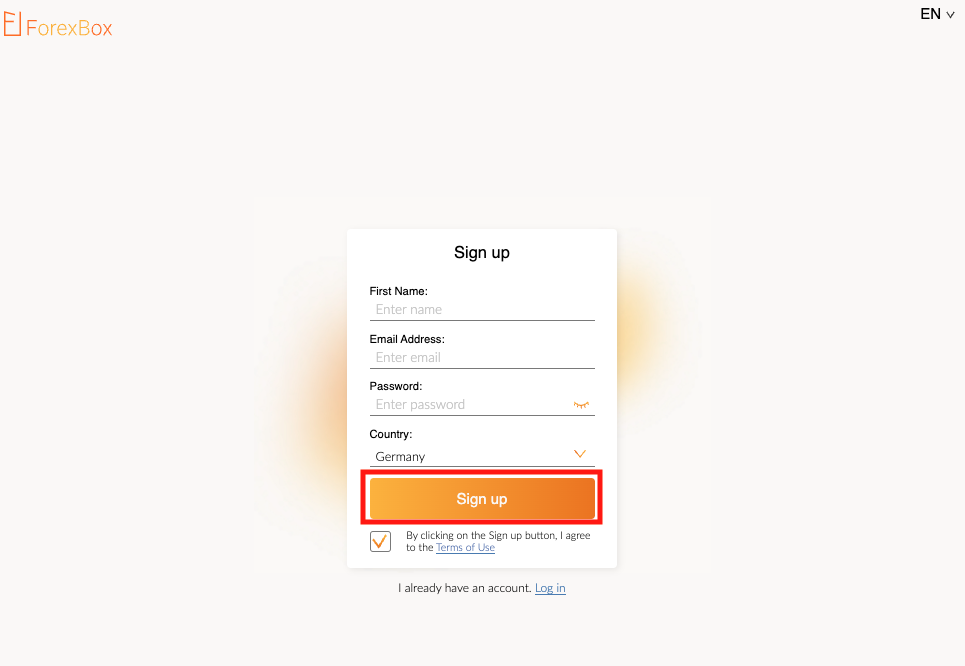
- Go to https://my.forex-box.com/register.php
- Enter your first name and email address, create a password and choose your country.
- Click "Sign up" button.
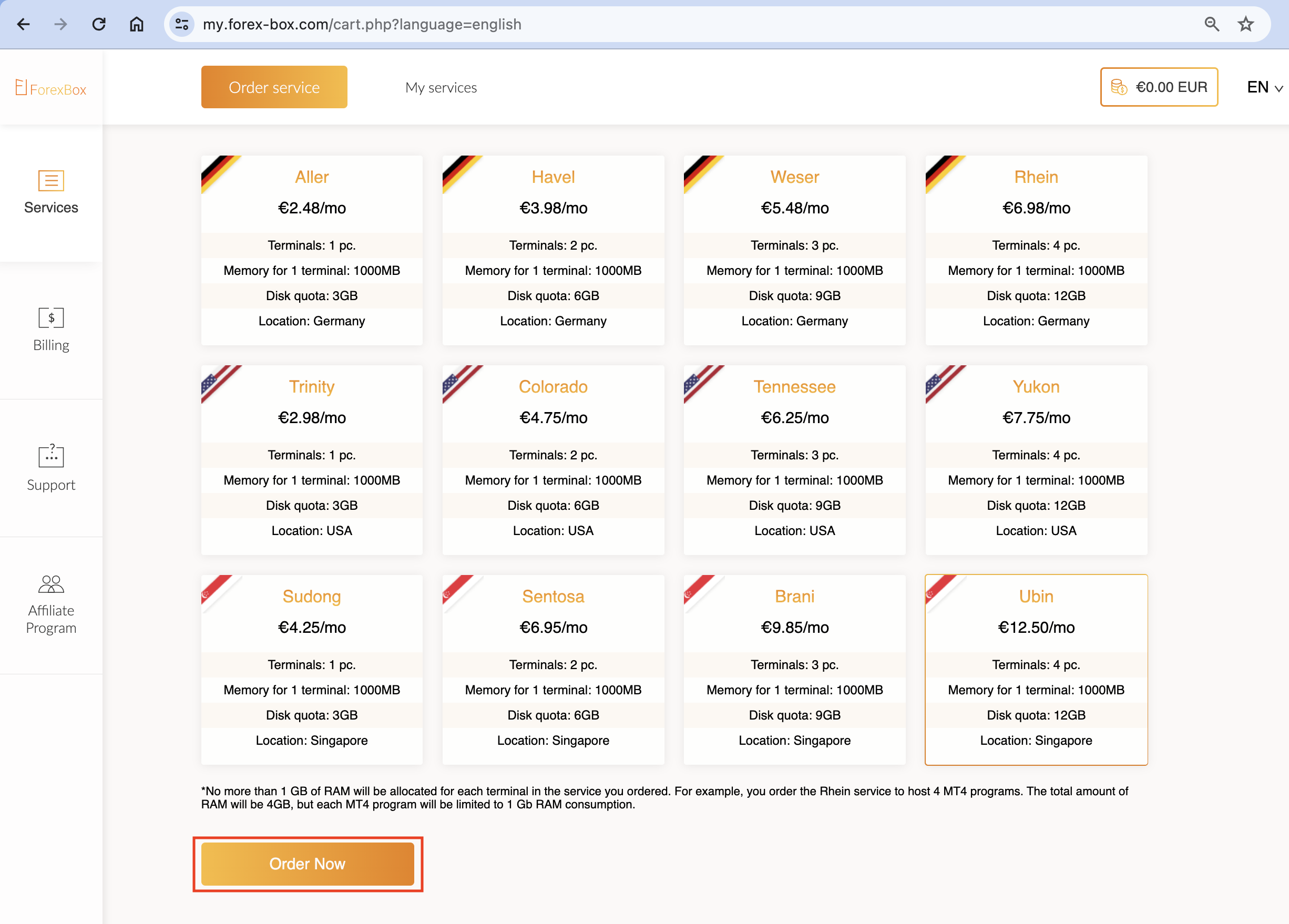
Choose one of the remote desktop plans and click "Order now" button.
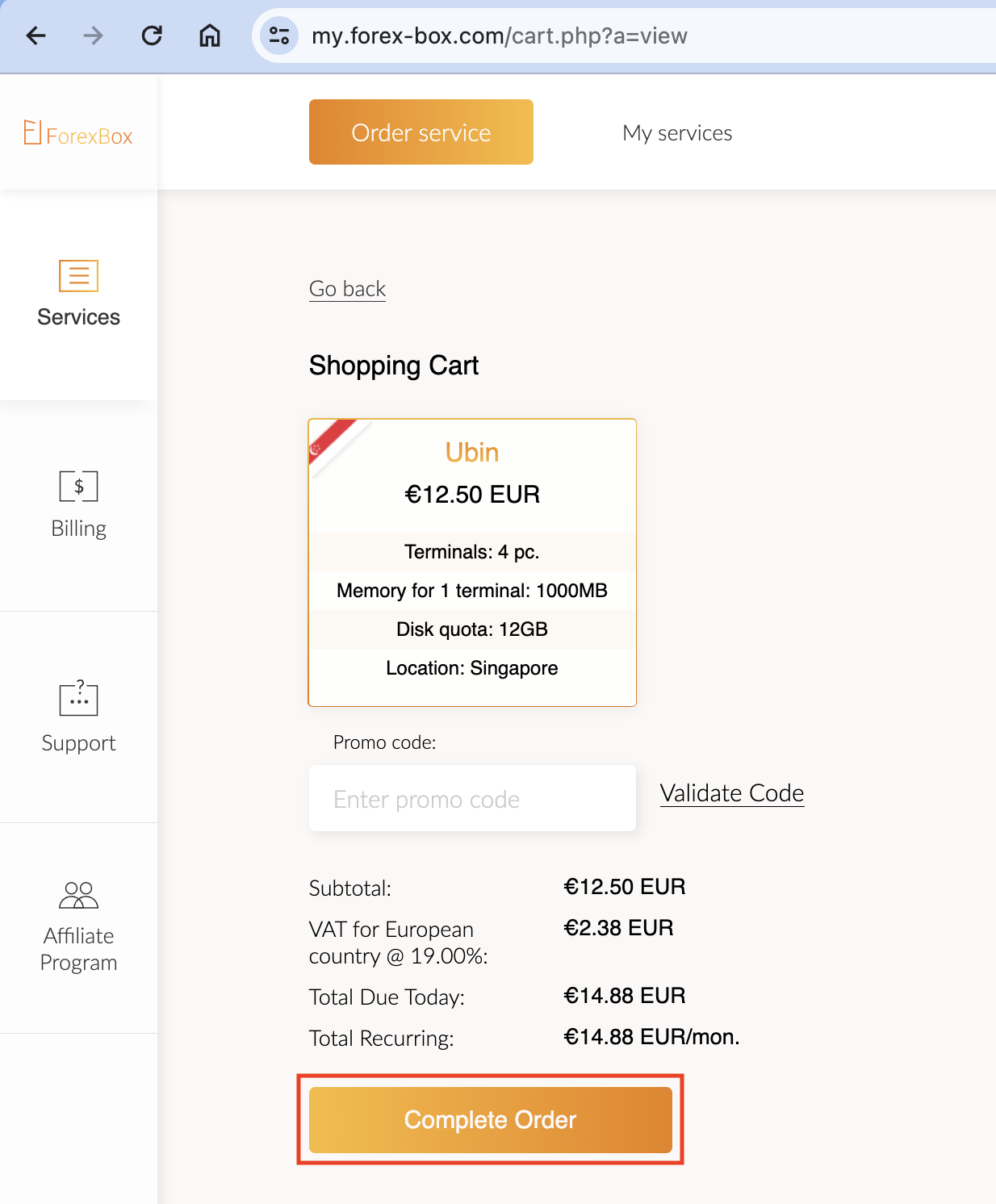
Click "Complete Order" button.
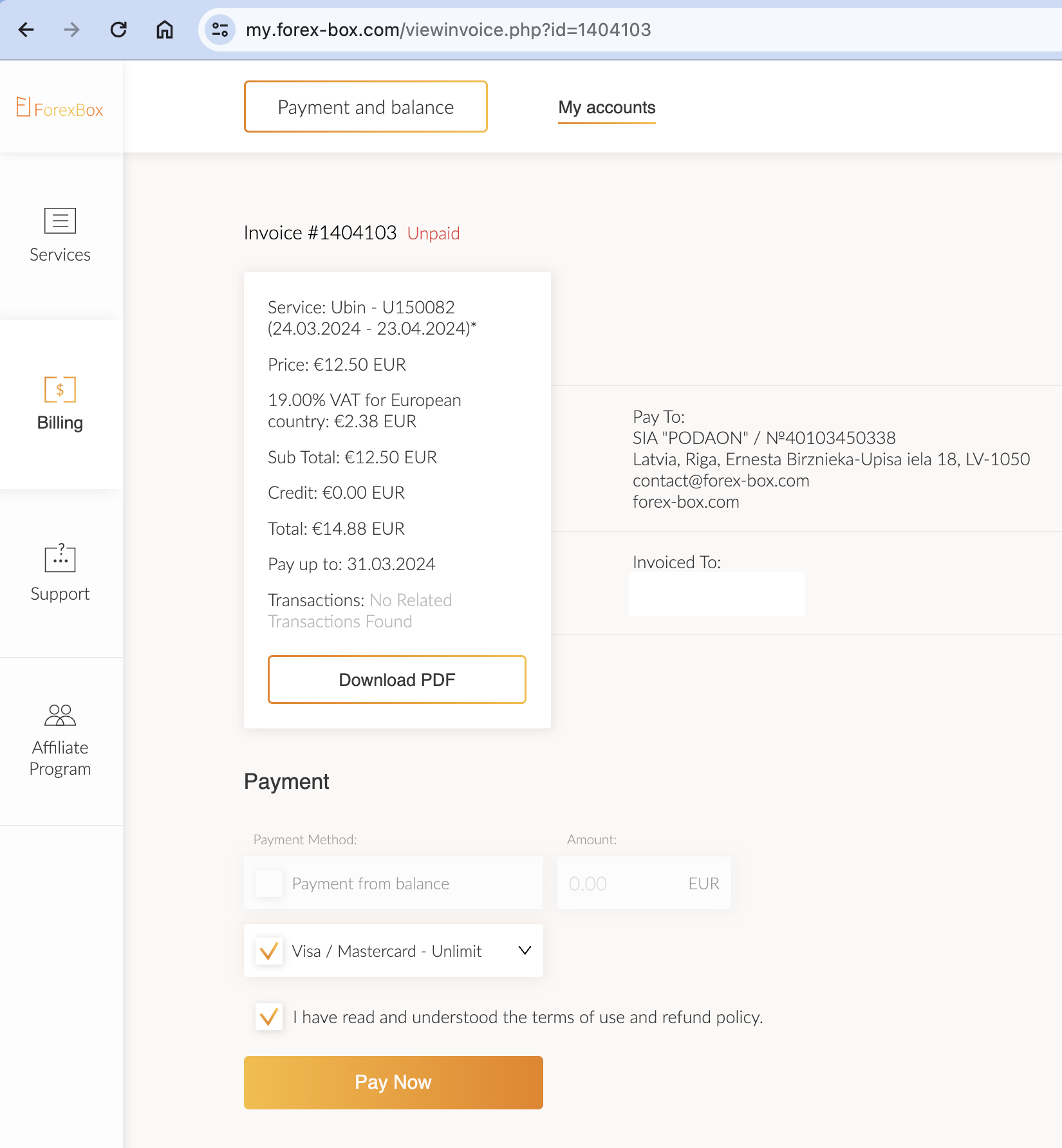
- Choose the payment method.
- Tick the box to accept the terms of use and refund policy.
- Click "Pay now" button.
- Enter your payment details (e.g. for the card payment you need to specify your card number, cardholder name, card expiration date and protection code).
- Click "Pay" button.

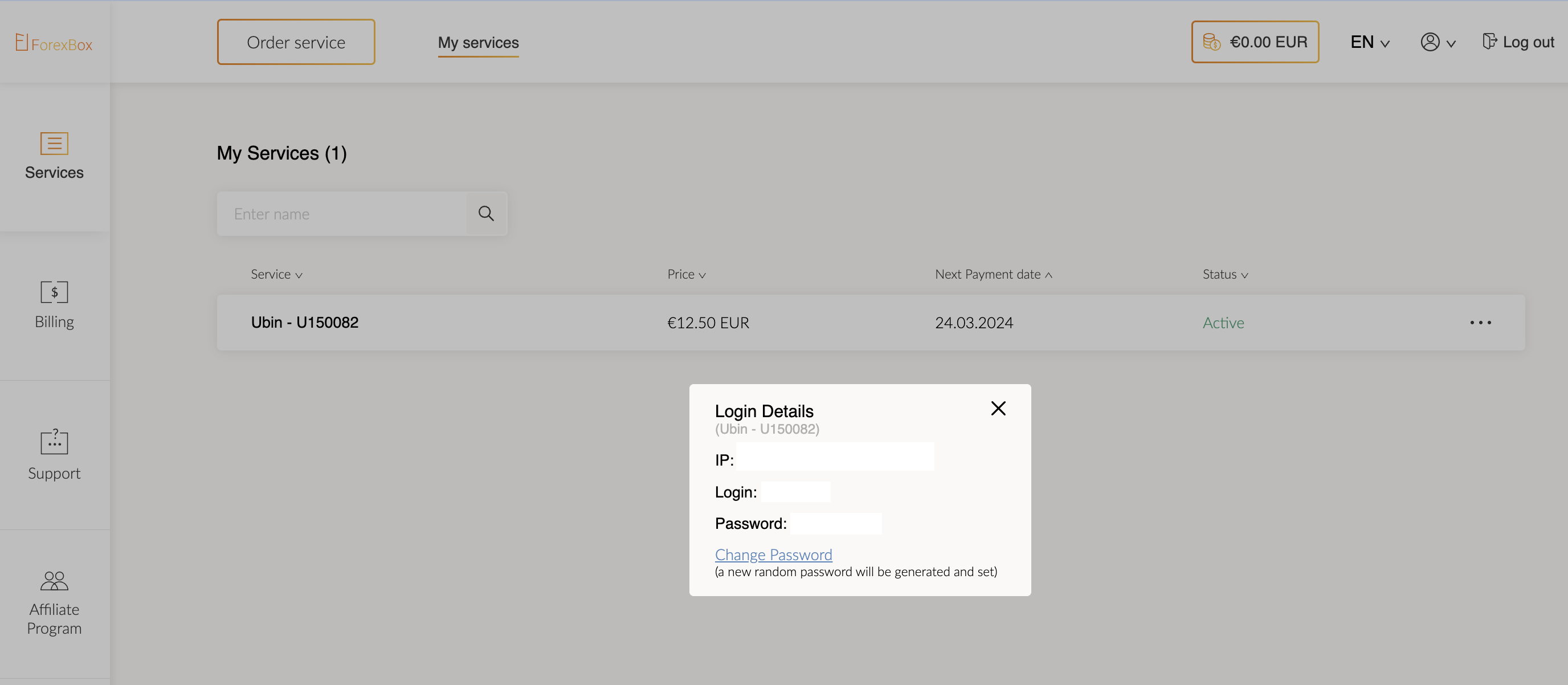
To find out the necessary information for connection to the remote desktop:
- Click on "Services" tab in the left menu panel.
- In the list of your services click on the three dots of the service you want to use.
- In the dropdown menu click "Login Details".
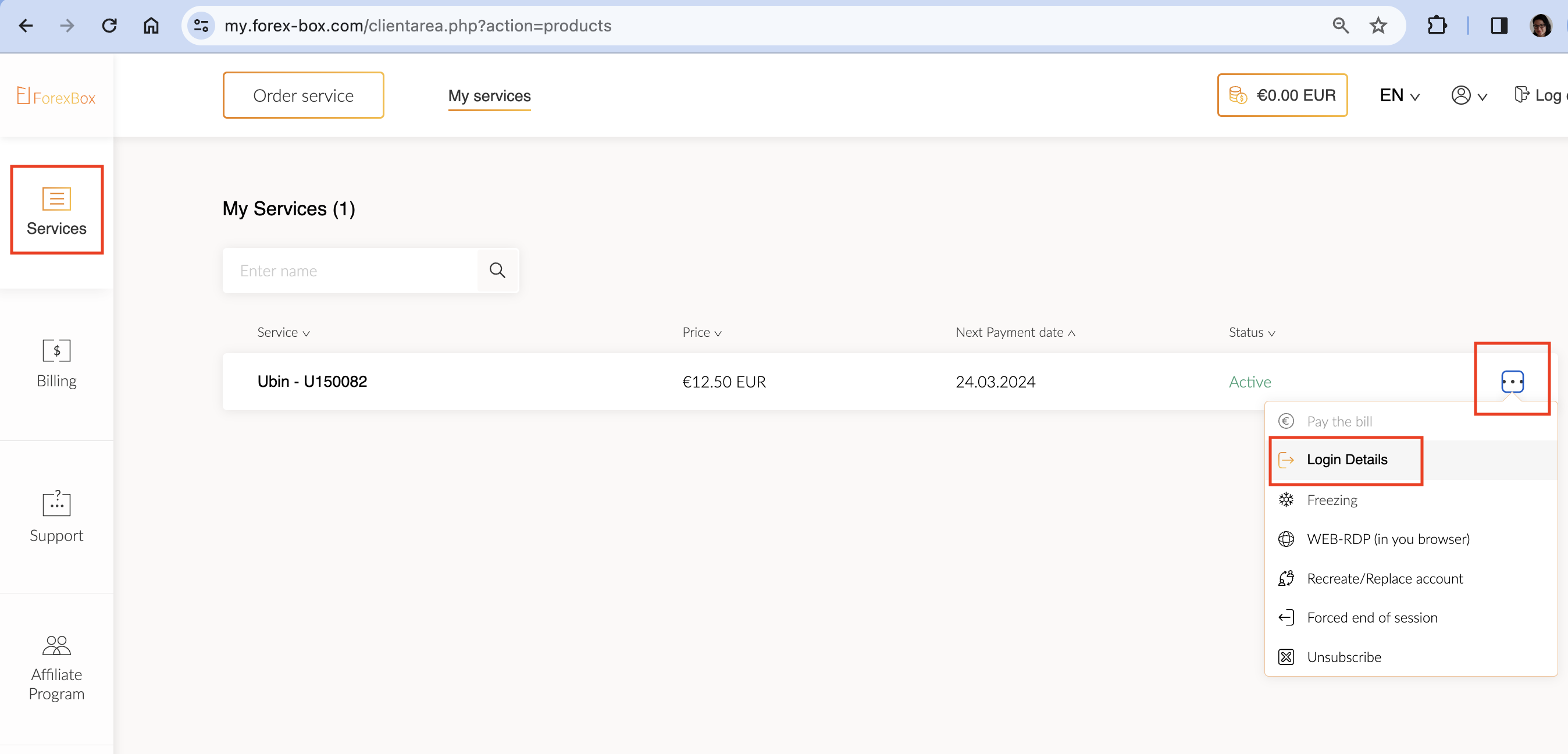
A modal window with the information you will need later to connect to the remote desktop will be displayed.